

Download iGTD – Free Mac Task‑Management Tool for Context‑Based Organization
Overview
iGTD (Getting Things Done) is a lightweight, free task‑management program designed exclusively for macOS. Built around the concept of “contexts,” iGTD lets you group tasks by the environment, tool, or mindset you need to complete them – whether you’re at the office, traveling, or simply in “waiting‑for” mode. Since its first appearance in our catalog in 2007, iGTD has accumulated more than 3,700 downloads, with a loyal user base in Switzerland and German‑speaking regions. The current version, 1.4.5.6, was last updated on July 14 2008 and continues to receive community‑driven bug fixes and feature tweaks. Its small footprint makes it an ideal companion for anyone who wants a powerful yet unobtrusive GTD system without the bloat of larger project‑management suites.
iGTD fits neatly into the Business → Project Management subcategory, offering a clean interface that emphasizes speed, keyboard shortcuts, and deep integration with macOS utilities like iCal and Growl. Whether you’re a freelancer juggling multiple client projects, a student keeping track of assignments, or a busy professional seeking a reliable “in‑box zero” solution, iGTD’s context‑centric design can help you focus on the right tasks at the right time.
Key Features
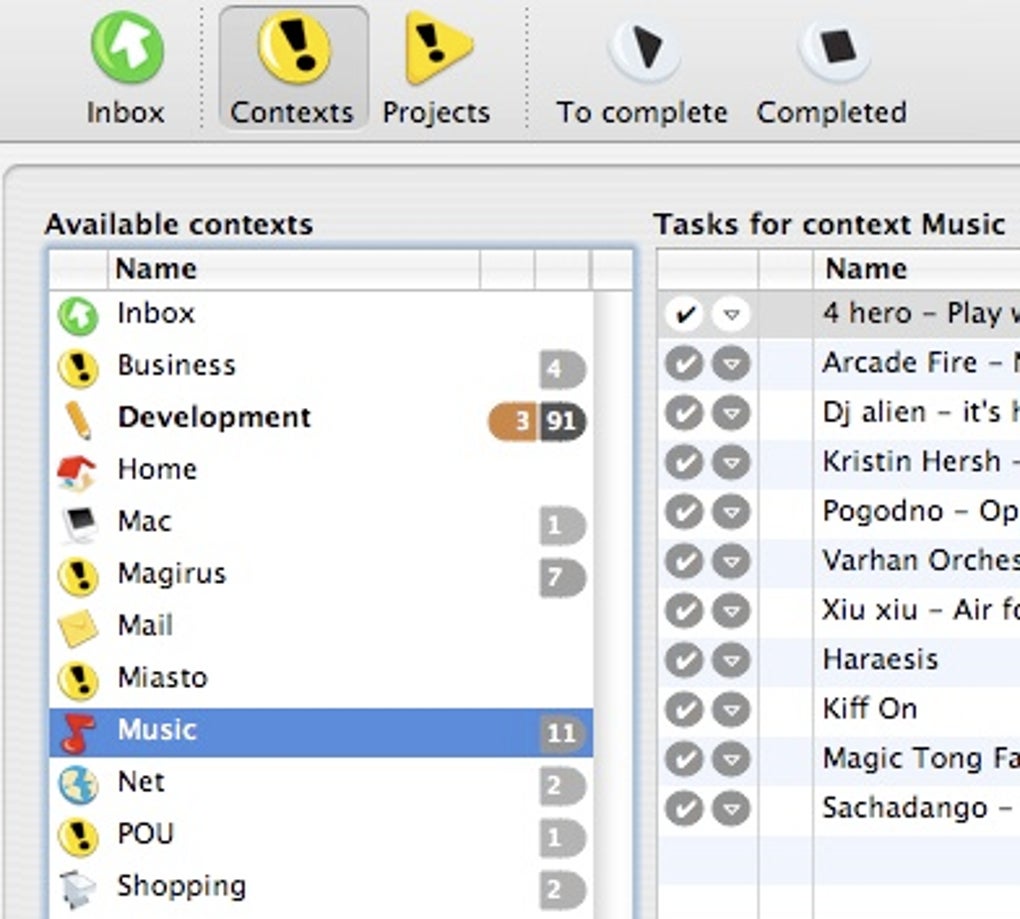
- Context‑Based Organization: Assign each task a context (e.g., @Home, @Office, @Online) and switch between tabs to view only the tasks relevant to your current situation.
- Quick Add Window with F‑Key Tricks: Press F6 from any application to pop up a fast entry form; add tags, set flags, and choose task mode (pending, waiting‑for, maybe) without leaving your workflow.
- iCal Synchronisation (Optional): Enable or disable two‑way sync with iCal to keep appointments and tasks aligned, with a safeguard to prevent accidental syncs.
- Dock Badges & Smart Folders: Visual badge counts on the Dock icon; create smart folders on the fly with Shift+Enter for dynamic task grouping.
- Multi‑Language Support: Fully localized in English and German, making it accessible to a broader European audience.
- Growl Integration: Receive unobtrusive notifications for due dates, new tasks, or completed actions via the Growl notification system.
- Customisable Appearance: Choose from several icon styles, adjust font sizes, and configure whether a selected task remains highlighted when switching tabs.
- Robust Keyboard Shortcuts: Navigate tables, outlines, and project properties using Enter, Shift+Enter, and other key combinations for a mouse‑free experience.
- Automatic Date Smartness: When you type a past day number, iGTD assumes the next month, preventing accidental past‑date entries.
- Stability Improvements: Recent patches fix crashes related to subproject defaults, focus loss when switching apps, and badge rotation issues.
Installation & Usage Instructions
Installing iGTD on macOS is straightforward and takes only a few minutes. Follow these steps to get the software up and running:
- Visit the official download page (linked at the bottom of this article) and click the Download iGTD 1.4.5.6 button. The file is a standard
.dmgimage. - Once the download completes, double‑click the
.dmgto mount the disk image. - Drag the iGTD icon into your Applications folder. macOS will verify the app; if you receive a warning about unidentified developers, open System Preferences → Security & Privacy → General and click “Open Anyway.”
- Launch iGTD from the Applications folder or from Spotlight. The first run will prompt you to choose a default language (English or German) and to set your preferred context icons.
- Configure optional integrations:
- Enable iCal sync in Preferences → Integration if you wish to keep calendars aligned.
- Install Growl (if not already present) to receive desktop notifications for task alerts.
- Begin adding tasks using the Quick Add window (F6) or the main interface. Assign each task a context, due date, and flag as needed.
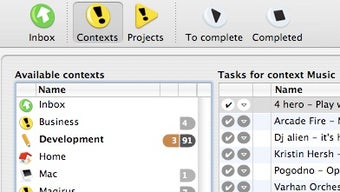
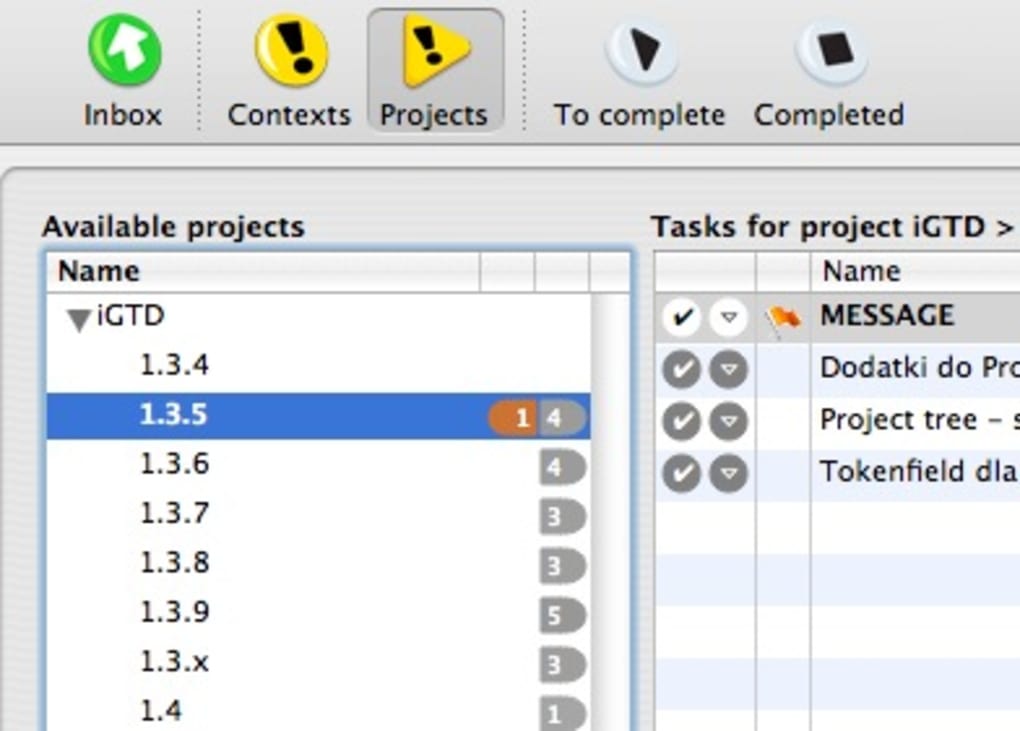
The user interface is intentionally minimal: the left pane displays Contexts, the central pane lists Tasks, and the right pane shows Project details. Use Cmd‑T to toggle the “Main window” option, which restores the iGTD window after it has been closed. Keyboard shortcuts such as Enter (edit), Shift+Enter (new smart folder), and F7 (quick add) keep your workflow fluid.
For power users, the Preferences → Appearance panel offers fine‑grained control over badge styles, font scaling, and whether the current task stays selected when you switch between Contexts and Projects. These settings are saved in your user library, ensuring a consistent experience across sessions.
Compatibility, Pros & Cons
iGTD is built exclusively for macOS, supporting OS X 10.4 Tiger and later versions, including macOS Big Sur and Monterey through the built‑in compatibility layer. While the program is not available for Windows, Android, or iOS, its lightweight design makes it an excellent complement to other cross‑platform GTD tools if you need mobile access.
Pros
- Free and open‑source – no hidden fees or subscription model.
- Very low disk‑space usage compared with typical Business‑software suites.
- Context‑driven workflow that mirrors the original GTD methodology.
- Extensive keyboard shortcuts for a mouse‑free experience.
- Optional iCal sync and Growl notifications provide seamless macOS integration.
- Multi‑language support (English & German) with localized UI strings.
- Stable performance after years of community‑tested updates.
Cons
- Mac‑only – Windows and Linux users must look for alternatives.
- Interface feels dated compared with modern, cloud‑based task managers.
- No native mobile app, limiting on‑the‑go access.
- Updates have slowed; the last official release was in 2008 (though community patches exist).
- Requires Growl for some notifications, which is an additional dependency.
Overall, iGTD delivers a focused, no‑frills GTD experience for Mac users who value context‑based organization over flashy design. Its robust shortcut system and deep macOS integration make it a solid choice for power users, while the free price tag ensures it remains accessible to anyone looking to improve personal productivity.
FAQ & Final Thoughts
Is iGTD really free, or are there hidden costs?
iGTD is completely free to download and use. There are no subscription fees, in‑app purchases, or mandatory upgrades. Optional components such as Growl are also free, though they must be installed separately.
Can iGTD sync with other task‑management services like Todoist or Trello?
iGTD only supports synchronization with macOS iCal. Exporting tasks to other services requires manual CSV export or using third‑party scripts. The focus of iGTD is to keep everything local and lightweight.
Is the software compatible with the latest macOS versions?
Yes. Although the last official release was in 2008, iGTD runs without issues on macOS Big Sur, Monterey, and Ventura thanks to Apple’s continued support for 32‑bit‑compatible apps. Users may need to grant permissions for automation and notifications.
How does the “context” feature differ from simple tags?
Contexts are designed to represent the environment in which a task can be performed (e.g., @Home, @Computer). Unlike generic tags, contexts drive the main navigation pane, allowing you to filter the entire task list with a single click. This aligns with David Allen’s GTD methodology, which emphasizes context rather than arbitrary labeling.
What security measures protect my data within iGTD?
iGTD stores data locally in a plain‑text SQLite database within your user Library folder. While this offers speed and simplicity, it also means you should back up your data using Time Machine or another backup solution. No data is transmitted over the internet unless you enable iCal sync.
Conclusion & Call to Action
If you’re a Mac user looking for a focused, context‑driven GTD tool that won’t eat up your disk space, iGTD remains one of the most reliable options available. Its free price tag, extensive keyboard shortcuts, and tight macOS integration make it ideal for anyone who wants to capture tasks quickly and view them only when the right context is present. While the lack of a mobile companion and the dated UI may deter some, the core productivity benefits far outweigh these limitations for desktop‑centric workflows.
Ready to bring order to your projects? Download iGTD now and start organizing your life by context today.







